
English overview for colleagues abroad
One school style. AI help that teachers control.
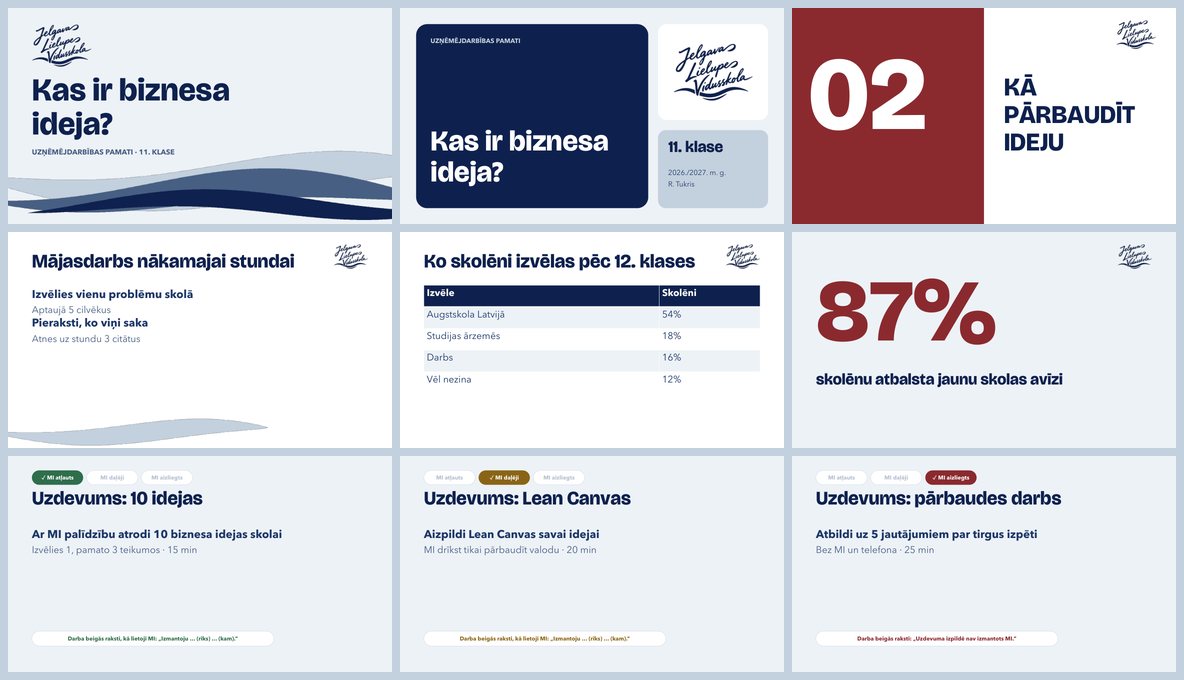
Jelgava Lielupe Secondary School (JLV) in Jelgava, Latvia, built a shared system for its teachers: ready templates for every subject, AI assistants that write in the teacher's own voice, clear AI rules for every task, and a step-by-step guide for student companies. This page explains it in 3 minutes.
Open the two systems
JLV system
Templates for 24 subjects, an assistant builder ("My kit"), AI assistants for lessons, quizzes and feedback, and AI-literacy lessons for students.
Open the JLV system → For students, grades 10–12SMU guide
Student companies (Junior Achievement) from idea to closing in 7 steps: market research, brand, finance, business plan and pitch, with an AI assistant for each step.
Open the SMU guide →What is inside
Subject templates
PowerPoint and Word (worksheet, test, rubric, lesson plan) for each subject. Every learning area has its own colour; logo and fonts stay shared.
AI assistants
Lesson and slide plan, quiz maker, feedback by the teacher's criteria, Socratic tutor, differentiation, retrieval practice, rubric builder, "My voice".
Minutes to set up
"My kit": answer 10 questions about how you teach and write, pick a subject, copy ready instructions into Copilot, ChatGPT or Claude.
AI levels
Every task says if AI is allowed, partly allowed or not allowed. The teacher decides, the student sees it before starting.
How a teacher uses it
- Download your subject template. Open it in PowerPoint, type over the text, keep the layouts. 5 minutes
- Build your own assistant in "My kit". It learns your tone and your subject terms, then gives you instructions to paste into a Copilot agent or a ChatGPT/Claude project. Test it with the 5 tests on the page. 5–15 minutes
- Tick an AI level on every task. The level boxes are already in the Word and PowerPoint templates. 10 seconds
- Teach students to use AI well. Three ready AI-literacy lessons: "AI is not a search engine", "A good question, a better answer", "Honest with AI". 3 × 40 minutes
AI rules
AI allowed
For ideas, explanations and projects. The student adds one sentence saying how AI was used.
AI partly allowed
Only for what the teacher names, for example checking spelling or finding sources. The rest is the student's own work.
AI not allowed
The work is done without AI. Tests use this level by default.
- No student data in AI tools. Never paste student names, grades or student work into an AI tool. Feedback assistants work with anonymous text only.
- Every AI fact is unverified until a person checks it in a real source.
- AI detectors are not proof. We redesign tasks (process, drafts, oral defence) instead of trying to catch students.
- Each teacher decides the level for each task. The school gives one shared way to show it, not one rule for everything.
- Students in grades 10–12 use AI themselves with their school Microsoft Copilot account. Younger classes see AI through the teacher.
- Tutors give hints, not answers. The Socratic tutor asks questions so that the student still does the thinking.
Based on the Latvian guidelines for AI in schools (Safer Internet Centre Latvia, 2025). The school-wide AI policy is still a draft.
What stays in Latvian
Downloads. The PowerPoint and Word templates, lesson files and assistant files are in Latvian, as used at our school. The layouts work in any language: type over the text.
Live classroom tools. The 12th-grade centre, leaderboard and teacher view hold real student data and need a login, so they are only linked, in Latvian.
SMU assistant instructions exist in both Latvian and English: pick the EN file on each step.